Next-generation BIM cost estimation for the construction industry
A B2B SaaS platform for automated BIM cost estimation. Upload IFC models from Revit, ArchiCAD, Tekla or any other BIM package — and get estimates in minutes. 650+ formulas, 2,500+ products from suppliers.
Platform features
Everything you need for BIM estimation in one place
BIM models
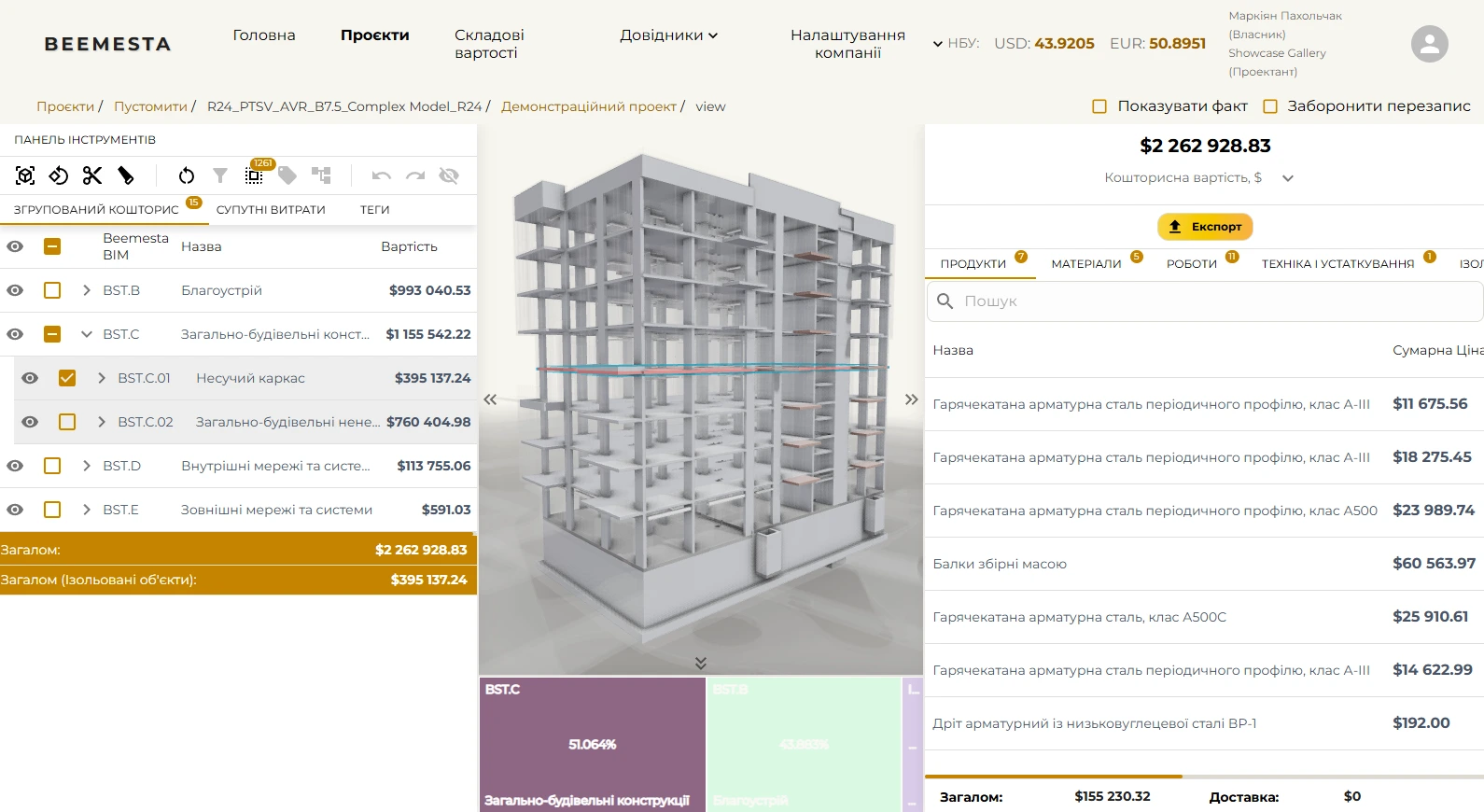
Upload IFC files from any BIM package — Revit, ArchiCAD, Tekla. Element parsing, 3D visualization in the browser.
Estimation
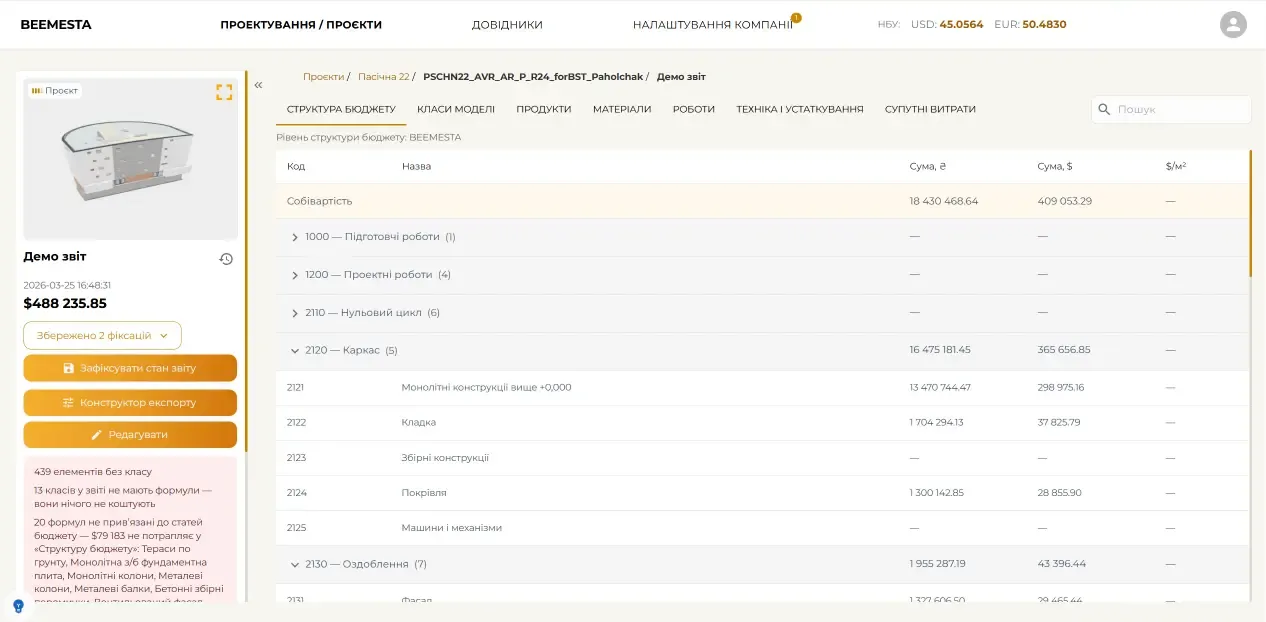
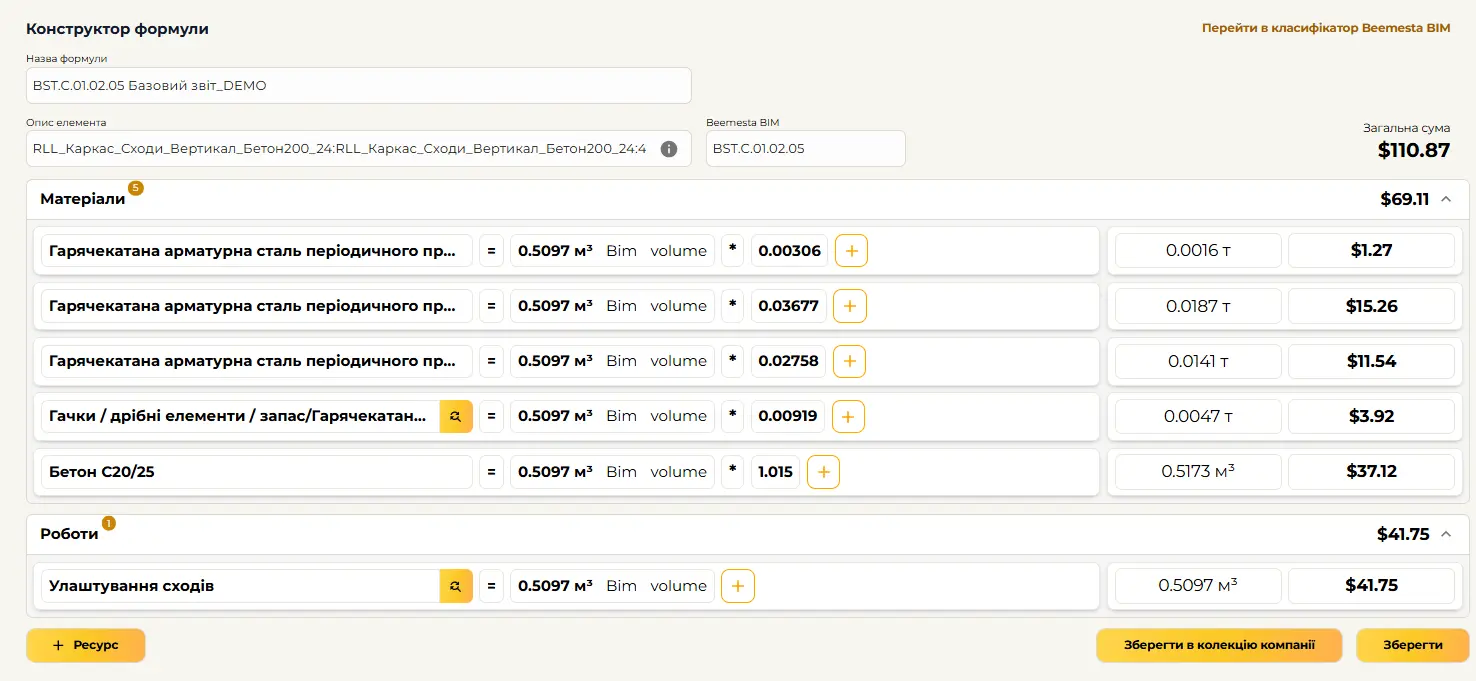
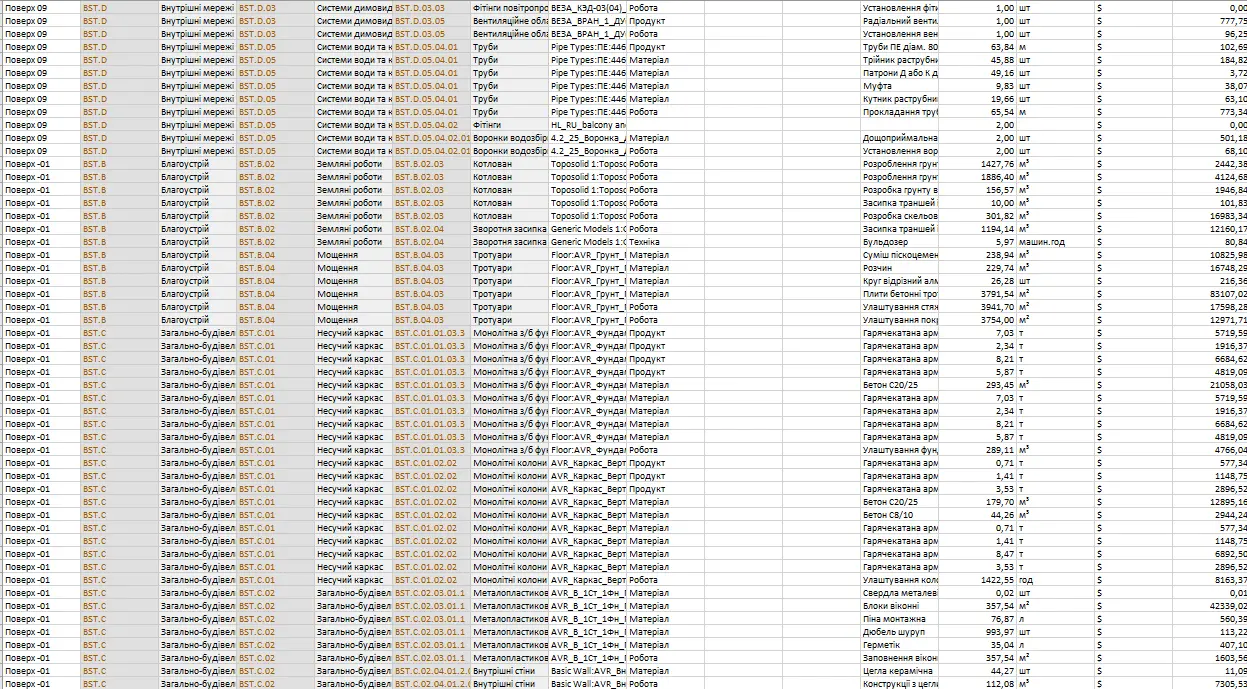
650+ calculation formulas. Automatic quantity take-off, associated costs, summary reports and a quantity export laid out by budget structure.
Supplier prices
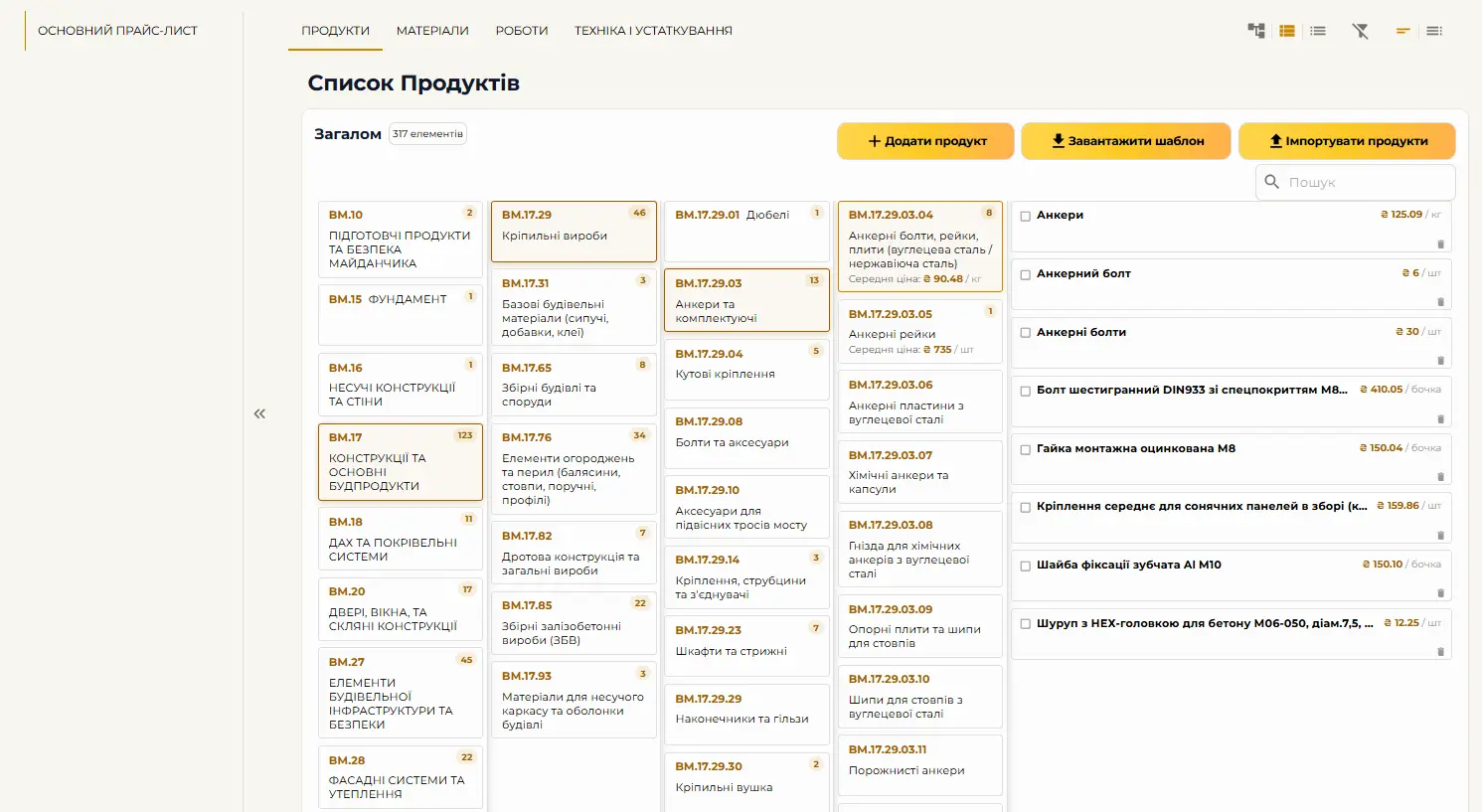
Up-to-date prices from manufacturers. Three price levels: general, partner and project. Change history.
Project snapshots
Fix the project state at any moment. Version comparison, change audit, investor confirmation.
Teamwork
Share projects between companies. Flexible access system. Roles and permissions.
Analytics
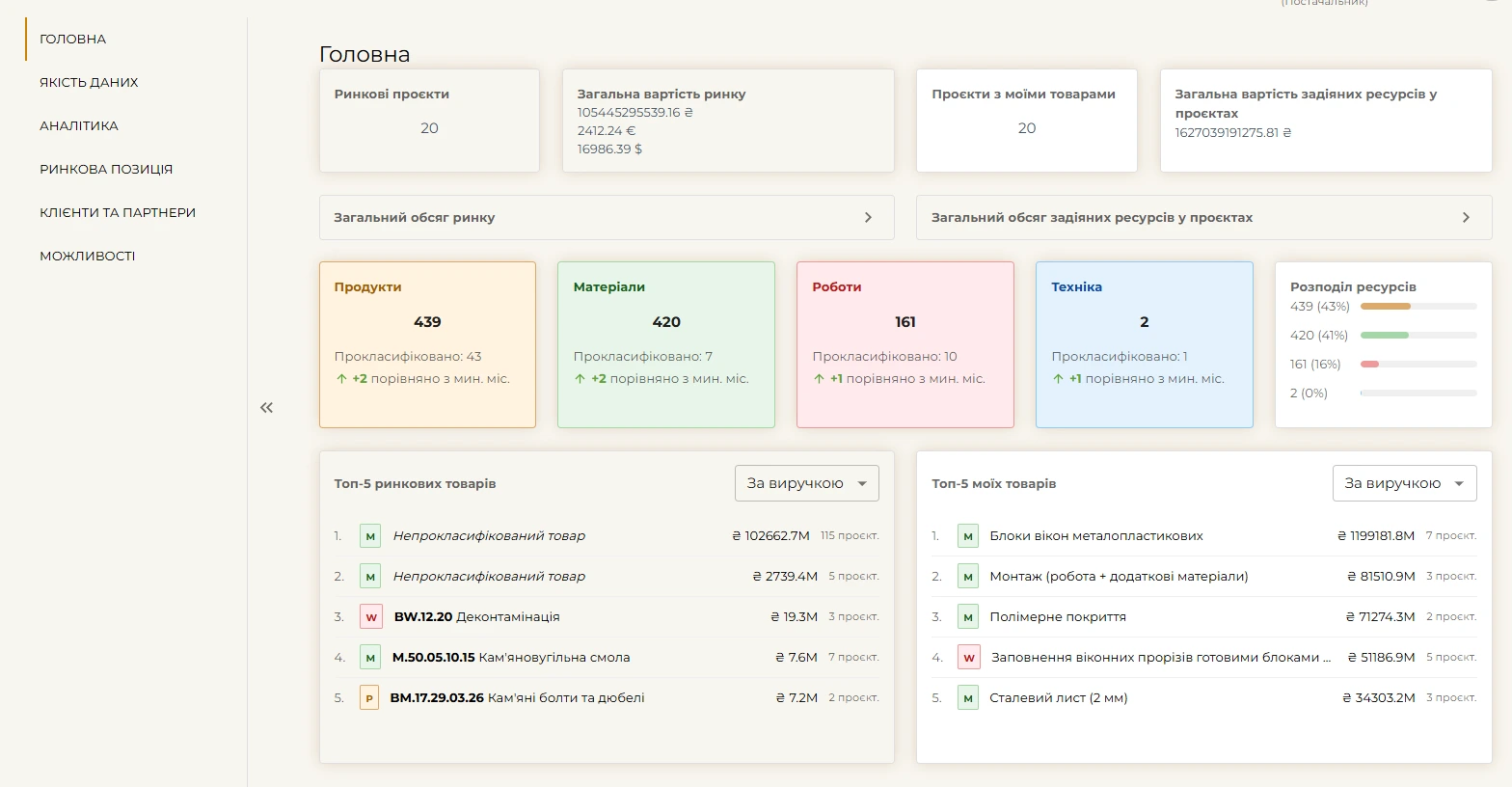
The supplier dashboard — demand, catalog quality, market and clients. For the buyer — the estimate by budget articles, version comparison and snapshots.
What’s new in BEEMESTA
From the model to the tender and the delivery — in one place
Model upload
The BEEMESTA plugin for Revit sends the model straight from the open project, and «Upload IFC» takes a file from ArchiCAD, Tekla or any other package. Every upload is a new version, and processing is shown on the «IFC Ingestions» tab.
Classification in the browser
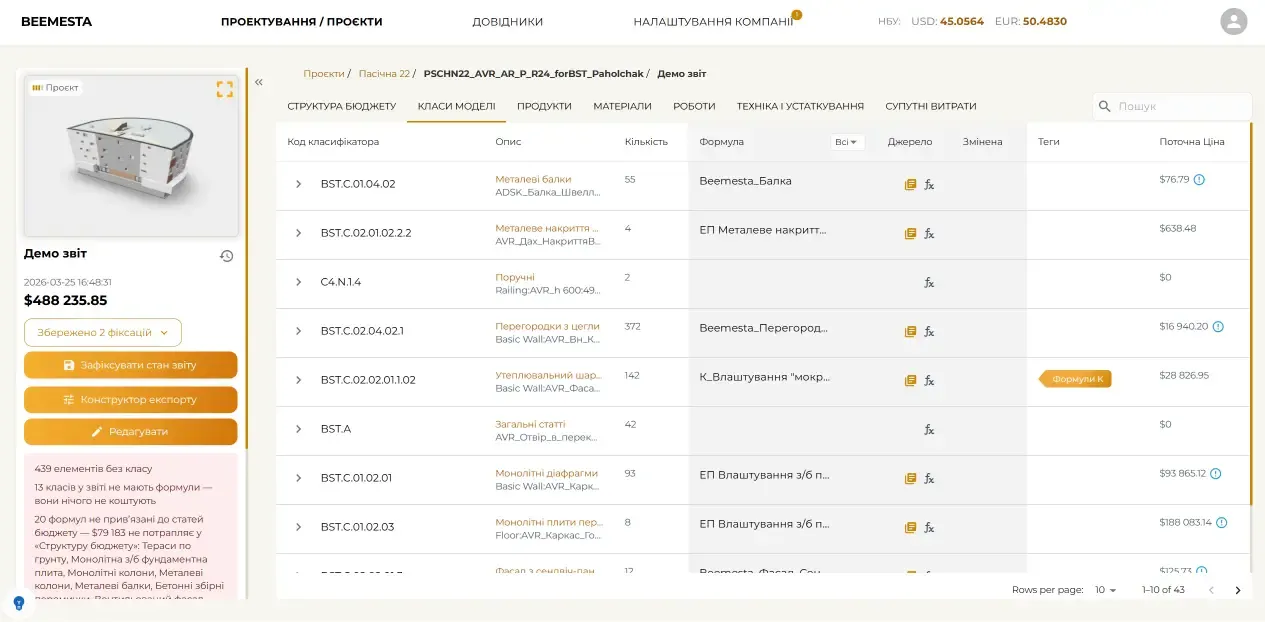
Select hundreds of elements in «Project model» and press «Classify» — the class formulas reach the report automatically. The «Classified» and «Unclassified» counters show how ready the model is for an estimate.
Prices in files
A supplier publishes a catalog, price list, specification or certificate as a document — PDF, Word, Excel or CSV — and links it to resource classes. The estimator opens the file right from the estimate and sends a «Price request».
On your phone or tablet
Add BEEMESTA to your phone or tablet home screen — it opens full-screen, with no address bar. The report and the budget structure, and for suppliers the tenders, offers and deliveries, are built for a phone screen.
Tenders from the estimate
Create requests from the estimate or from elements selected in the 3D model, invite suppliers, compare offers and alternatives, and award the winner — awarded prices flow back into the estimate. Suppliers receive tenders by their resource classes.
Contracted prices and facts
The winner fills in the contracted price, and invoices and acts are recorded as procurement facts: «contracted» against «actual», with the deviation per line and what is still to be delivered.
Convenient and intuitive design for efficient work
How it works
Three simple steps to an accurate estimate
Upload BIM
An IFC model from Revit, ArchiCAD or Tekla — right in the browser
Classify
Assign classes to elements in bulk right in the browser — each design stage’s formulas apply automatically
Get report
With current prices and analytics. Volumes in budget structure, version comparison, change history and tenders straight from the estimate
How tenders work
From the estimate to the contract and the delivery — in four steps
Create a request
From the estimate, from elements in the 3D model or by hand — with lines and contract terms
Invite suppliers
Invited suppliers and those who supply the right resource classes send offers and alternatives
Select and award
Compare offers in one table, open sealed bids and award the winner by protocol — prices flow back into the estimate
Contract and facts
The winner fills in the contracted price, and invoices and acts are recorded as facts: deviations from the contract and what is still to come
Who is BEEMESTA for
The platform is adapted to the needs of each role
- ✓Upload BIM models to the cloud and view them in the browser
- ✓A ready BIM classifier for every discipline, and element classification right in the browser
- ✓Share the project with estimators and clients — no extra software to install
- ✓Version control and project state snapshots in the cloud
Frequently Asked Questions
Answers to questions about BIM cost estimation and the BEEMESTA platform