Supplier Catalog and Up-to-Date Prices for BIM Cost Estimates
Supplier prices in BEEMESTA are the price lists of manufacturers and suppliers that estimate formulas take resource costs from. A supplier maintains a catalog of products, materials, works and machinery, and uses three price levels to decide who sees which price. The platform catalog holds 2,500+ products from 50+ suppliers.
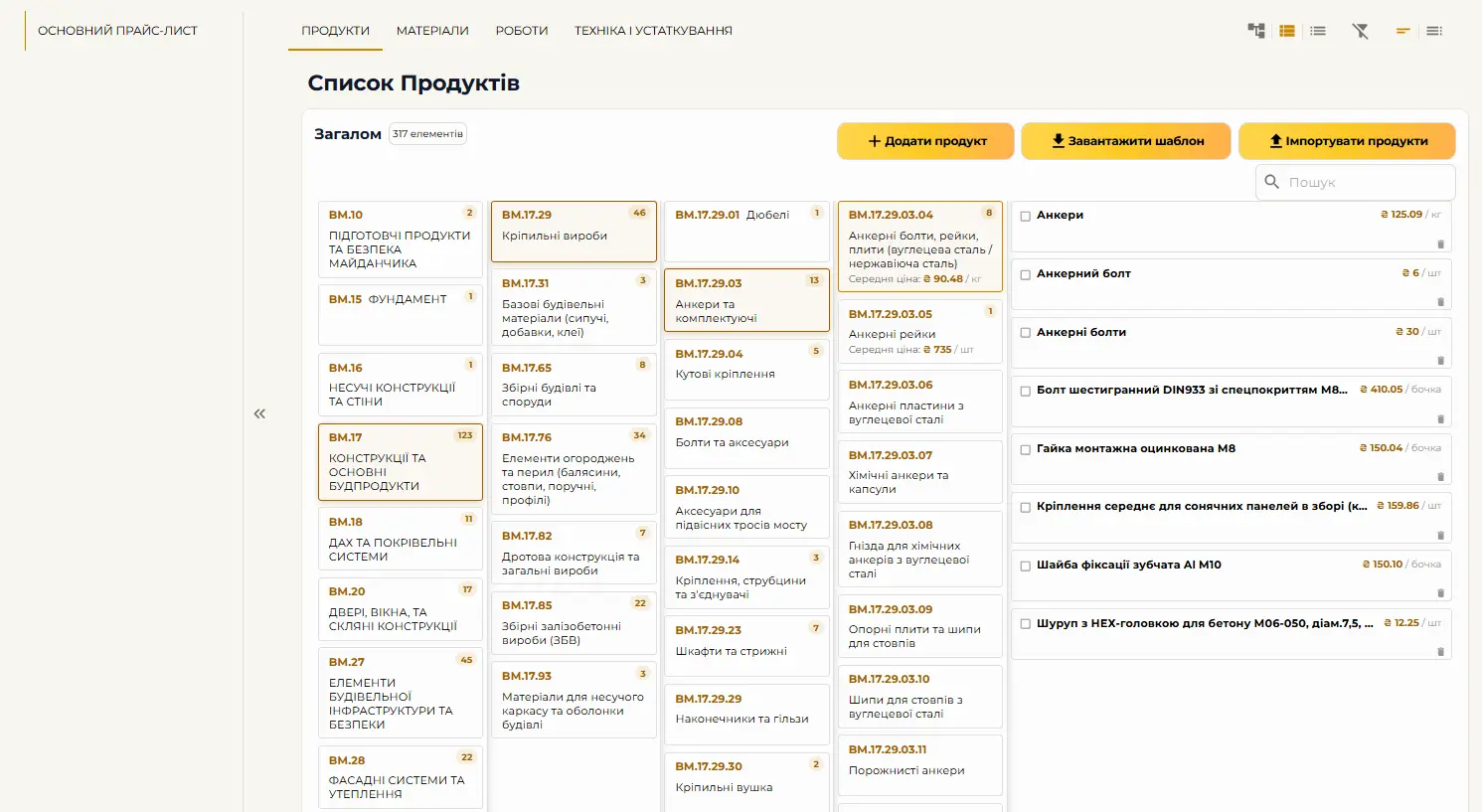
How a supplier fills in the catalog and price lists
A supplier registers as a separate company with the “Supplier” module. In “My Catalog”, a product is described once — with specifications, photos and, if needed, an “Installation Formula” — while its prices are set in price lists, and there can be several of them. The catalog supports four resource types: products, materials, works and machinery; the type determines which formulas the resource can be used in.
- Manually — item by item in the interface
- By importing from Excel
- “Parsing” — AI breaks a price list down into items, and the supplier reviews and approves them
- “Prices in files” — a catalog, technical specification or certificate as a document (PDF, Word, Excel, CSV up to 25 MB); its prices are not used in calculations
Three price levels: public, partner and project
A price list answers the question “who will see these prices”: its audience is defined by assigning it to companies or projects. If a product appears in several price lists, the price list priority decides which price wins.
Private prices are visible only to companies that have been explicitly granted access through a partnership or project sharing, and within a company user rights are defined by roles. The platform is hosted on Microsoft Azure.
- General (public) — visible to every company on the platform
- Partner — visible only to partner companies, in place of the public price
- Project — a special price for a specific project
How to track changes in supplier prices
Prices in a formula aren’t typed in by hand but taken from a price list, so an updated supplier price list immediately changes the cost in reports. To see how prices have changed over a period, the estimator takes a snapshot of the report: a snapshot preserves prices, quantities and parameters as of a date, and the “Export Constructor” with the “Compare with snapshots” option puts current data next to the saved data.
Suppliers keep track of how current their own prices are on the dashboard: the “Products with outdated prices (>30 days)” block shows the last price and update date for each item. The estimate export includes a “Price valid until” column.
Resource classes: how estimators find a supplier
Estimators search for suppliers by resource class, not by product name. That’s why on the “Resource Classes” tab a supplier declares the classes it manufactures, sells, rents out or performs: until a class is declared, the company won’t show up in that search. Open tenders are also matched to the declared classes.
- Only the lowest class in a branch — one with no subclasses below it — can be selected
- For each class you specify the relationship: sale, manufacturing, rental or execution
- Supply regions narrow the search; an empty field means “No limit”
- Classes from your public price lists and “Prices in files” that you haven’t declared yet are suggested in grey